How To Export Your Kindle Highlights
Your Kindle keeps highlights in three places. Here is how to get them out of each one, and into Spinebloom with the books they came from.
The Short Answer
On a Kindle e-reader, plug it into a computer and copy My Clippings.txt from its documents folder: it has every highlight from every book on it. In the Kindle app, export one book’s notebook at a time. Then choose the file in Spinebloom.
How do you export highlights from a Kindle e-reader?
- Plug the Kindle into a computer with its USB cable. It opens like a USB drive.
- Open the documents folder.
- Copy My Clippings.txt to the computer. It lists every highlight, note and bookmark made on that Kindle.
Can a Kindle e-reader email you a book’s highlights?
Yes, one book at a time. In the book, open its notes, then choose Export Notes. Amazon emails them to your Amazon account’s address.
How do you export highlights from the Kindle app?
Open the book, open its notebook, then tap the export (share) button and send it by email. It works one book at a time, and a book’s publisher can limit how much you can export. The app doesn’t make a My Clippings.txt file.
Where can you see all your Kindle highlights online?
At read.amazon.com/notebook, signed in to Amazon. It shows highlights from books you bought from Amazon, one book at a time. Books you added yourself aren’t there, and publishers can cap how much shows.
How do you bring Kindle highlights into Spinebloom?
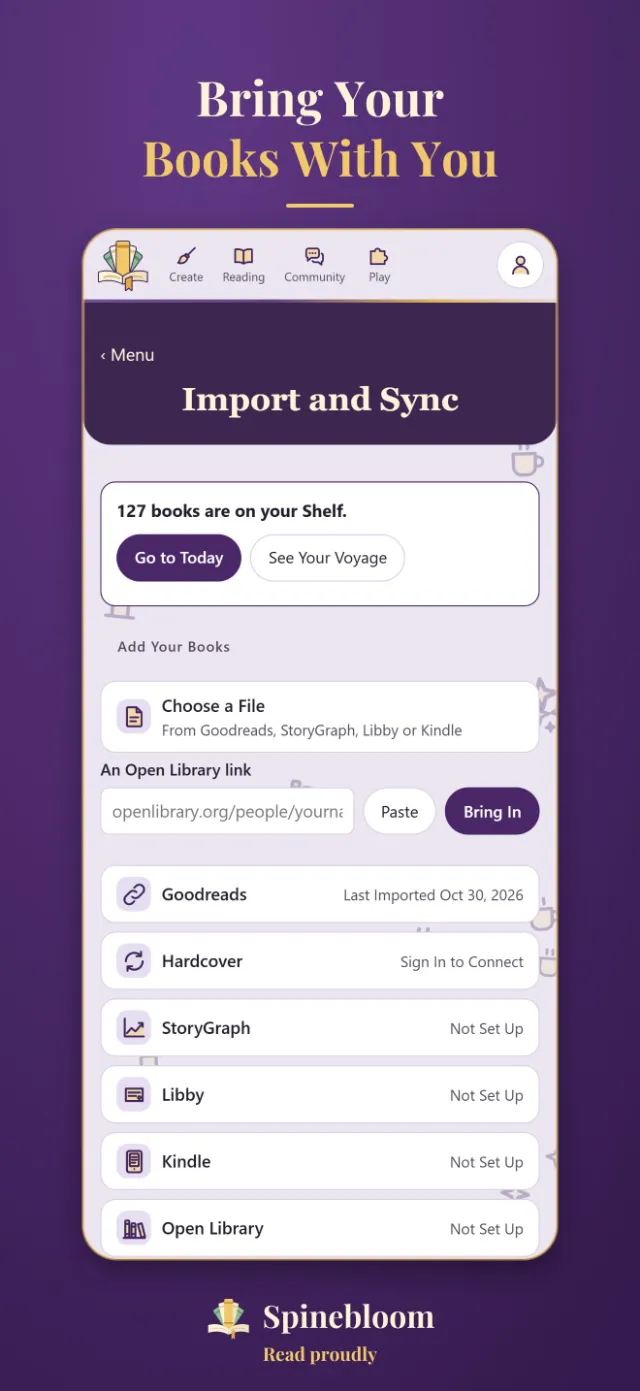
- On a computer, open Spinebloom: Menu → Settings → Your Data → Import And Sync.
- Open Kindle, then Highlights File, and choose My Clippings.txt.
- Every book you highlighted comes in, dated by your last highlight, with its highlights kept on the book.
If It Doesn’t Work
- On a phone? Copy the file on a computer, then choose it in Spinebloom on that computer.
- Only some books on the notebook page? It shows books bought from Amazon. Try My Clippings.txt from the Kindle itself.
- Want your Kindle reading, not just highlights? Link Goodreads on your Kindle (Settings → Your Account → Social Networks), then import Goodreads’ export file.
Questions
Does Spinebloom need my Amazon password?
No. It reads the file you choose, on your own device.
Can I import the same file again later?
Yes. Books you already have aren’t added twice.
Sources
Checked November 2, 2026. We make Spinebloom, so we kept this to facts. Something out of date? Email [email protected].
Kindle and Amazon are trademarks of Amazon.com, Inc. Spinebloom isn’t affiliated with Amazon.